
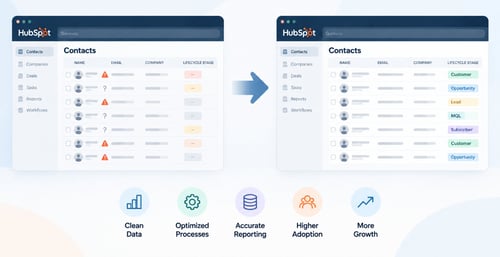
 A messy HubSpot CRM rarely becomes a problem overnight.
It usually happens gradually. New properties get added. Workflows accumulate. Deal stages stop matching the sales process. Reports become harder to trust. Different users develop their own ways of working in the CRM.
Eventually, HubSpot still works — but nobody completely trusts it.
A HubSpot CRM audit helps identify where the problems are and, more importantly, which ones are actually worth fixing.
Here’s where to start.
1. Review your deal pipelines and stages
Start with the sales process.
Open each pipeline and compare the deal stages in HubSpot with how your sales team actually sells today.
Look for:
- Stages that are rarely or never used
- Deals sitting in the same stage for long periods
- Too many deal stages
- Inconsistent stage definitions
- Incorrect deal probabilities
- Missing required information
- Deals regularly being moved backward through the pipeline
Pay particular attention to Closed Lost.
If sales reps can close a deal as lost without providing a meaningful loss reason, you are losing valuable information about why you are not winning business.
Your pipeline should make selling easier and reporting more accurate — not create additional work for sales.
If your pipeline has become overly complicated, start by reviewing how to build a HubSpot deal pipeline that sales actually uses. We also recommend using HubSpot pipeline automation to identify idle deals and capture closed-lost insights.
2. Check contact and company data
Next, look at the quality and consistency of your CRM data.
Common problems include contacts without associated companies, missing lifecycle stages, inconsistent ownership, duplicate records, outdated contacts, and important fields that are rarely populated.
Do not try to make every field perfect.
Focus first on the data your sales, marketing, automation, and reporting actually depend on.
If a property is being used in workflows, lead scoring, segmentation, routing, or reporting, its accuracy matters considerably more than a field nobody uses.
One way to make this measurable is to create a HubSpot Data Audit Dashboard that continually identifies missing information across contacts, companies, and deals.
3. Audit your HubSpot workflows
Workflows are one of the first places HubSpot portals become unnecessarily complicated.
Review your active workflows and ask:
- Is this workflow still needed?
- Are contacts still enrolling?
- Are the enrollment criteria still correct?
- Does another workflow perform the same function?
- Could two workflows conflict?
- Is anyone responsible for reviewing it?
Pay particular attention to older workflows that have been running for months or years without being reviewed.
Automation should reduce complexity. When nobody understands what the automation is doing, it starts creating complexity instead.
4. Review properties and check fill rates
Established HubSpot portals tend to accumulate properties over time.
Some were created for old campaigns. Others came from integrations. Some were created because someone couldn't find an existing field. Others simply stopped being useful.
Start by looking at property fill rate: what percentage of your contact, company, and deal records actually contain a value for each important property.
A low fill rate is not automatically a problem, but it should trigger a closer look.
Ask:
- What percentage of records have this property populated?
- Is the property still being actively used?
- Is it required for workflows, lead scoring, segmentation, routing, or reporting?
- Is there another property capturing essentially the same information?
- Should the property be required at a particular stage?
- Is the data supposed to be populated automatically or manually?
Pay particular attention to properties that are important to reporting or automation but have poor fill rates.
A report or workflow can be configured perfectly and still produce misleading results if the underlying property is populated on only a small percentage of records.
Also look for properties with very low fill rates that no longer serve a business purpose. Those may be candidates for consolidation or eventual removal.
Do not start by deleting properties. First check their dependencies across workflows, lists, forms, reports, integrations, and scoring.
The goal isn't simply fewer properties. It's a data structure where the important properties are consistently populated, understood, and actually used.
5. Review lifecycle stages, Lead Status and lead management
Lifecycle Stage and Lead Status are often misunderstood or inconsistently used in established HubSpot portals.
Review how contacts progress through your sales and marketing process and whether HubSpot accurately reflects those transitions.
Then look at:
- Lifecycle Stage
- Lead Status
- Contact ownership
- Lead routing
- Marketing-to-sales handoffs
- Follow-up automation
- Lead qualification
- Lead scoring
Marketing and sales should be working from the same definition of a qualified lead.
If every lead appears equally important to sales, consider whether HubSpot lead scoring can help identify your highest-value leads based on both fit and engagement.
6. Test your reports against the underlying data
A dashboard can look impressive and still be wrong.
Pick several reports your leadership relies on and trace them back to the underlying CRM data.
If a sales report depends on deal stages, are those stages being used consistently?
If a marketing report depends on lifecycle stages, are those stages accurate?
If a pipeline report depends on close dates, are salespeople maintaining them?
If a report uses a custom property, what is its fill rate?
Reporting problems are often CRM process or data problems disguised as reporting problems.
This is another reason a CRM data audit dashboard can be useful: it makes the quality of the underlying data visible instead of assuming the CRM is complete.
7. Look at how your team actually uses HubSpot
A technically perfect CRM that nobody uses properly is still a bad CRM.
Look at actual activity.
Are salespeople logging calls, emails, meetings, and notes? Are tasks being completed? Are deals being updated? Are required fields helping users or simply creating friction?
Also look for workarounds.
If people are maintaining spreadsheets outside HubSpot because the CRM doesn't give them what they need, find out why.
User behavior often reveals CRM problems you will never find by looking at settings alone.
What should you fix first?
A HubSpot audit should not end with a massive list of everything that could theoretically be improved.
Prioritize your findings into three groups:
-
Fix now — Problems affecting data integrity, sales execution, automation, or reporting.
-
Improve next — Changes that could meaningfully improve efficiency, visibility, or user adoption.
-
Leave alone — Imperfections that are not currently causing a business problem.
-
The goal isn't a perfectly clean HubSpot portal.
-
The goal is a CRM your team uses and trusts.
When should you bring in a HubSpot consulting partner?
If your CRM has become difficult to understand, reporting is unreliable, automation has become complicated, or nobody internally has the time or expertise to determine what should be fixed first, an outside HubSpot audit can help.
A good audit should not begin with the assumption that your portal needs to be rebuilt.
It should identify what is working, what isn't, what should be simplified, and where the highest-value opportunities are.
Optimize 3.0 is a HubSpot Diamond Solutions Partner specializing in helping small and mid-sized businesses improve the HubSpot systems they already have.
If you suspect your HubSpot portal has become more complicated than it needs to be, we can audit the existing setup and give you a prioritized plan for improving it.
Frequently Asked Questions About HubSpot CRM Audits
What should a HubSpot CRM audit include?
A HubSpot CRM audit should review the areas that affect how your team uses and trusts the CRM. That typically includes data quality, property fill rates, lifecycle stages, Lead Status, deal pipelines, workflows, lead management, reporting, integrations, user adoption, and automation.
The audit should also prioritize its findings. The objective isn't simply identifying everything that could be changed, but determining which improvements will have the greatest impact.
How often should you audit your HubSpot CRM?
For most businesses, a comprehensive HubSpot CRM audit once a year is a good starting point. More active or complex portals may benefit from quarterly reviews of pipelines, workflows, data quality, reporting, and user adoption.
An audit also makes sense after significant changes to your sales process, marketing strategy, integrations, HubSpot subscription, or internal team.
How do you know if your HubSpot CRM needs cleanup?
Common warning signs include reports that nobody trusts, duplicate or incomplete records, low fill rates on important properties, outdated workflows, inconsistent lifecycle stages, too many deal stages, poor CRM adoption, and salespeople maintaining information outside HubSpot.
Another strong indicator is simply not knowing why something in HubSpot was configured the way it was.
What is property fill rate in HubSpot?
Property fill rate is the percentage of CRM records that contain a value for a particular property.
Monitoring fill rates helps identify important data that is consistently missing. For example, if a property is critical to segmentation, reporting, lead scoring, or automation but is populated on only a small percentage of records, the process producing that data may need to be fixed.
Low fill rate does not necessarily mean a property should be deleted. It means you should determine whether the property is important, why the data is missing, and how it is supposed to be populated.
Should you clean up HubSpot yourself or hire a consultant?
You can handle many HubSpot cleanup tasks internally if someone on your team understands the portal and has time to evaluate how changes may affect workflows, reports, integrations, and other processes.
Outside help becomes more valuable when the portal is complex, problems span multiple areas, or nobody internally is confident about what can safely be changed.
What should you expect after a HubSpot CRM audit?
A useful HubSpot audit should result in a prioritized action plan, not simply a list of problems.
You should understand what needs immediate attention, what should be improved next, what can be left alone, and which changes are likely to have the greatest impact on sales, marketing, reporting, and CRM adoption.